How to make a 3D kitchen design?
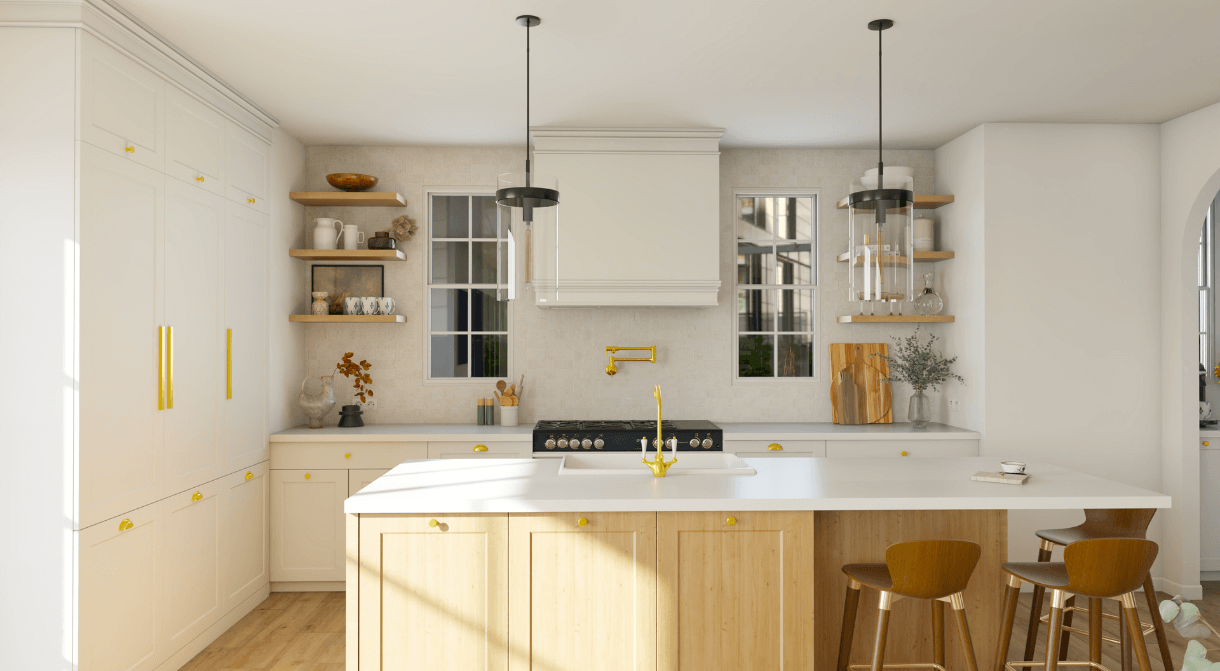
Update the style of your home interior
Instantly test different designs and layouts
View your home in 3D before making purchases
Life happens in the kitchen, so it should be planned out wisely to serve as a highly functional and attractive hub in your home. A well-designed kitchen not only improves everyday living but also adds value to your property and creates a welcoming space for your family and friends. Below, we dish out advice and show you how to arrange your kitchen using a free 3D design tool.
Whether you want to build a U-kitchen, L-kitchen, or a galley kitchen, HomeByMe’s 3D interface makes it possible for anyone to plan, build, and execute their dream design. Experiment with different flooring materials and finishes in real-time, so you can visualize how your kitchen will look before you make any purchases.
This online tool is free of charge, easy to use, and it gives you the opportunity to customize every inch of your kitchen or home. Try out several kitchen layout templates so you can find the right solution for your needs.
Even without any expertise, the intuitive drag-and-drop tech lets you effortlessly add anything you require to generate a comprehensive layout. From cabinets to various lighting options, every element can be adjusted to fit your style with just a few clicks. Then, download your design so you can share it with your builder or other.
Find out how to construct a kitchen design in 3D for your home using this advanced tool.
How To Make a 3D Kitchen Design
The HomeByMe kitchen floor planner provides a large and versatile selection of products, materials, paint colors, and furniture for you to select from. From sleek modern cabinets and energy-efficient appliances to classic fixtures and custom countertops, the platform offers several choices to match any aesthetic you want. There’s literally everything you need to make your kitchen beautiful to look at, comfortable to cook in, and functional for everyday life.
Here are the steps you need to create your 3D kitchen plan design with professional-grade results, whether you’re remodeling an existing kitchen or designing from scratch.
How to create a well-designed kitchen plan in 3 steps
Designing your dream kitchen in 3D is easier than ever. Here’s how you can do it.
Create a 3D Kitchen Design
1
Outline Your Layout in 2D
First, draw the outline of the kitchen by marking the walls, floor, windows, doors, and any fixed components included in the space, such as plumbing or appliances. Be sure to take note of structural elements like support columns or bulkheads that could affect cabinet or appliance placement.
The measurements can be edited at any point to keep it aligned and accurate with your interior. This will provide a basic 2D layout to show a clear overview of the space you will be designing. The key is to maintain accurate dimensions, so you can ensure a smoother transition to 3D view later.
You can even extend this and draw the layout of your entire home if you want. Doing so can help you visualize how your kitchen connects with nearby spaces like your dining room, which is especially helpful if you have an open-concept design.
2 Design your Kitchen
Now that you have a complete outline with the exact dimensions set, you can begin designing your kitchen. To make it easier to view and critique your plans as you build, turn the 2D outline into a realistic 3D graphic. Changing perspectives allows you to better understand the scale, lighting, and flow of your kitchen, giving you a more accurate sense of how it will look once it’s done.
Use the HomeByMe toolbar and catalog to find the features you need to tailor your kitchen – from major items like cabinetry and countertops, to the smaller items like faucets, sinks, tables, and chairs. The customization options are nearly endless.
Just click, add, drag, and arrange, or delete. It’s as simple as that.
3 Save and Share Your Masterpiece
HomeByMe lets you snap high-res photos and save them to use now or in the future. These images serve as an excellent visual reference for anyone involved in the building or renovation process.
So, if you don’t plan on remodelling right away, you will have detailed renderings of your design ready whenever you are. Just download your design and you’ll be good to go.
You can also check your design using augmented reality to assess and feel out each component. This allows you to walk through your kitchen virtually, helping you evaluate proportions and spacing in real-world scale.
Why You Should Use a 3D Kitchen Designer
Designing a kitchen can feel overwhelming and intimidating if you’ve never done it before. There are so many decisions to make, and it’s easy to doubt yourself along the way.
With a 3D kitchen designer, you can liberally explore your creative ideas without any pressure. You have the freedom to test different styles, materials, and configurations risk-free, so you can decide confidently. You can also learn what you like and don’t like, and produce a precise illustration of what you want to speed up the process. Here are some more ways that this tool can benefit you.
Easy to Use
As a user-friendly platform, both homeowners and professional interior designers can use HomeByMe to create a kitchen design in 3D. There are no special skills, training or knowledge required. The interface is user-friendly and intuitive, with drag-and-drop functionality, different types of guided tools, and real-time previews that make the design process feel effortless.
So, whenever you want to test out specific styles or products for your kitchen design, 3D tech gives you the means to do so instantly.
Dynamic and Flexible
Having an easy-to-use interface doesn’t mean this 3D kitchen floor designer is simplistic in its capabilities. In fact, HomeByMe is packed with advanced features that allow for deep customization while keeping the process accessible.
You can view every angle of your 3D kitchen and analyze it from a realistic standpoint as if you are standing inside it.
Design with Precision
Using exact dimensions is imperative when planning out your floor plans. Even small measurement errors can lead to expensive mistakes or layout issues once the project starts.
HomeByMe lets you add, change, and even expand on your existing space if you’re considering making structural changes. You can easily input wall lengths, ceiling heights, and even appliance measurements to ensure everything fits perfectly.
Overall, you have the ability to adapt and develop your design with precise measurements so you can feel confident and satisfied with your final results. This level of accuracy makes it easier to communicate your ideas with contractors or clients, streamlining the transition from idea to reality.
Discover also: Kitchen layout design tool

3D Kitchen Designs to Inspire You
Need some ideas for your kitchen? Find professional 3D kitchen designs to spark your interest in our kitchen inspiration corner. You can view popular trends to suit every style. Whether you’re drawn to the industrial look, something vintage or modern, there are all sorts of beautifully composed kitchens that you can use and apply to personalize your culinary space. In the meantime, follow our advice below to build a kitchen that’s organized, practical, and exquisite.
Consider Flow and Foot Traffic
In some layouts, the placement of the kitchen could end up having lots of direct foot traffic, which might be frustrating if you have a busy household. If this is the case for your kitchen, try to place the stove away from this area. To encourage people to gravitate away from the cooktop zone, consider adding a central island as a designated spot for sitting and socializing. In the HomeByMe floor planner, test out different setups and move items around until you find the best layout for your interior.
Think About Your Walkways
Typically, pathways in the kitchen should be 36 inches wide at minimum, and give you about 42 inches in between to comfortably walk around. Think about the space you’re working with, especially when arranging major components like the kitchen island. You might need to scale down the size of certain features to open up more floor space.
Plan for Electrical Outlets
Between the appliances, coffee maker, and other common gadgets, having enough electrical outlets in the kitchen cannot be overstated. Make sure to add enough of them around the countertop so you won’t be limited. Don’t forget to include outlets on your kitchen island too.
Your kitchen should be a space you love and appreciate, whether you’re cooking, entertaining or just hanging out with the family. HomeByMe’s floor layout tool can help make that happen by allowing you to meticulously create a kitchen design in 3D with all the must-have features to suit your needs. Try it today!
Become Your Own Kitchen Designer
With the help of our innovative HomeByMe 3D design platform, you can become your own kitchen designer. From the layout to the cabinet style and finishing touches, you can plan everything virtually. That way, you’ll know exactly how to turn your dream kitchen into a real one. Get started for free today!
Not sure where to begin with your 3D kitchen plan? Head over to our Inspiration page and explore cozy farmhouse kitchens, sleek modern layouts, and everything in between to spark some ideas and help guide your design process.
Discover also
- All about Interior Design Trends
- Interior designer tools: the must-have list
- Inspiring Modern bedroom decor
- How to Manage Interior Design Projects
- Floor Plans Guide
- How to draw bedroom plans
- Make DIY furniture with online 3D solution
- Create architectural designs house plans in 3D
- How to design a home using online software
- How to draw a bathroom in 3D
- How to draw small house plans
- How to get the best bedroom design?
- 8 tips to optimize home interior design
- How to redesign a bedroom
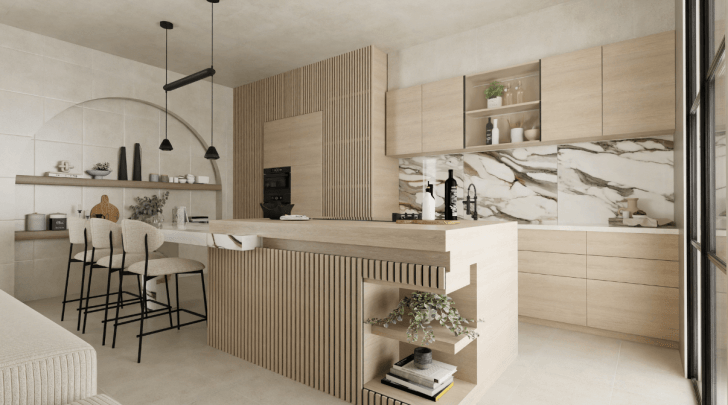


Are you designing a kitchen project? Plan your home design from start to finish using our simple online software.
Update the style of your home interior
Instantly test different designs and layouts
View your home in 3D before making purchases
Draw your Kitchen now!