How to Create a Floor Plan?
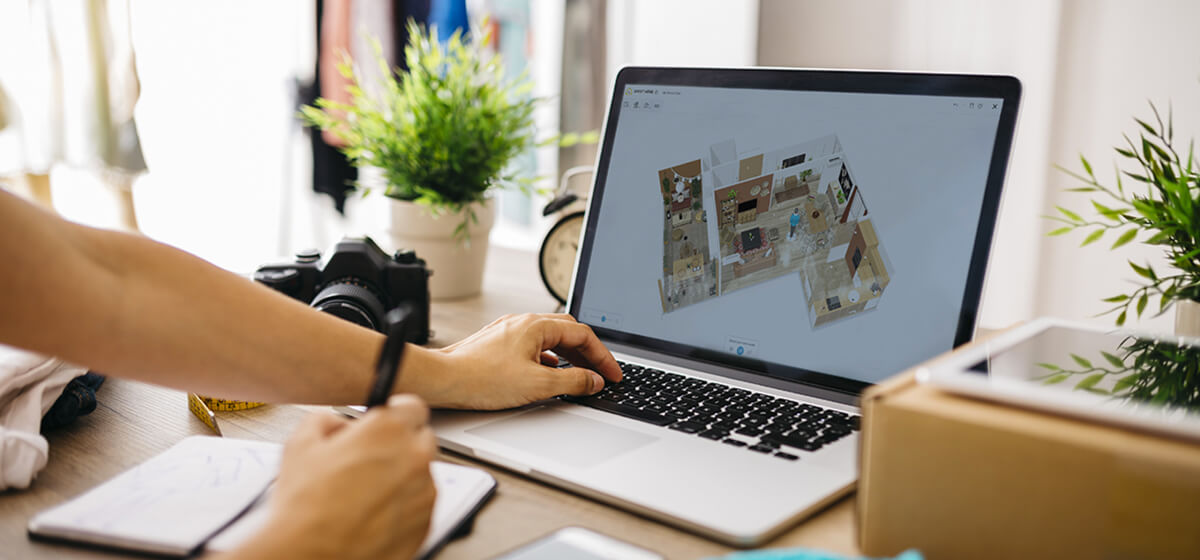
Make any home plans quickly
Check your ideas virtually and in 4K
Be sure everything is flawless
Are you designing a new home or planning a remodel? Find out how to create a floor plan to manage your project from beginning to end.
Floor plans illustrate the outline of a property, including the home interior and garden areas, helping you to plan your home improvement and remodelling projects. They offer an overall view of the home design, including measurements and technical information, to assist and help you in the creation of your future house.
Make sure to create a layout plan that’s accurate, so you can visualize the layout, optimize space, and avoid costly mistakes during the building process. Whether you’re working with professionals or designing it yourself, a floor plan is a useful tool in ensuring your ideas are realistic and can be executed.
Make your own floor plan with HomeByMe
Are you planning to remodel or decorate your home? HomeByMe is a free online floor plan software which enables you to easily design your ideal home and visualize it in 3D.
With just a few clicks, you can create a layout plan and explore different configurations, styles, and design ideas. It’s easy to create your floor plan in the space of a weekend using our intuitive home design software to test out various design options. Drawing your walls, windows, and doors will take only a few seconds with our planner.
Shape the layout of the rooms, the style of the interior, design the outdoor spaces, and decorate your home using a selection of furnishings from our extensive product catalog. Unlike other programs, HomeByMe allows you to see your home from different angles before it’s built, so you can be confident that your project will take place as expected.
Create your project in 4 steps
1 Create a free account
To get started, you can sign up for a free account on a computer or mobile device. Then, once logged in, follow the steps outlined for setting up your first project and create a layout plan.
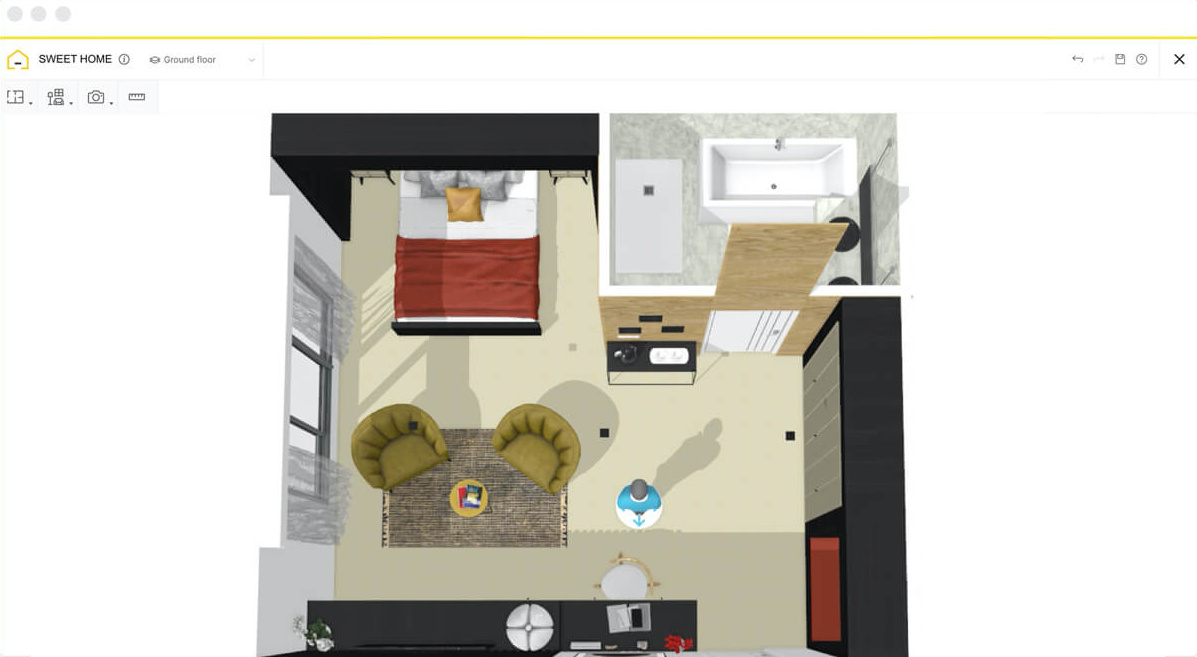
2 Draw your 2D floor plan
Start by creating the outline of your floor plan, by drawing the walls and inserting windows and doors. Our free user-friendly software doesn’t require any previous design experience, so you can get started straight away! If you need to save time, our Floor Plan Creation Service can draw your 2D floor plan from a rough sketch.
Once the basic structure is complete, you can start adding architectural elements such as columns and staircases. Make sure to add every detail, regardless of whether you’re designing a space to be remodeled or an extension to be built. If you have an existing diagram, you can import it and simply trace over it.
3 Furnish your home in 3D
Now that your basic outline is complete, you can choose your flooring and wall coverings from a range our library of tiling, wallpaper, and paint colors. Each material comes with customizable options to match your style. Configure your kitchen and bathroom according to your needs and get creative with your lounge and bedroom furnishings. Browse through our catalog of brand-name and generic furniture to personalize every room with the fixtures you want.
Add the finishing touches by inserting a selection of decorative items such as rugs, mirrors, curtains, and plants from our library to really visualize how your home will look. You can also preview how natural light affects your space throughout the day, helping you create a layout plan with confidence.
Drag, drop, rotate, and replace items until you create your ideal design. Optimize every available space with our planner.
4 Create and share images
Once you’re satisfied with your final design, you can generate HD images of your floor plan in 2D or 3D, to print or share online. These high-quality images are perfect for presentations, planning reference, or simply capturing your ideas in a polished format.
Gather feedback from friends by sharing realistic HD images and 360º views of your property, showcasing your design from all angles. Interactive views allow you and others to view the space as if you were standing inside it, making it easier to demonstrate your idea. Send your project link to partners, so they can take a 3D virtual tour of the property using the first-person perspective tool.
How to draw your 2D floor plan
- Draw the outline of your home by either inserting a suggested room shape from an existing template or using the pencil tool to draw freehand. For added precision, you can input the wall measurements to create your floor plan to scale.
- If you have an existing floor plan of your home, you can save time by uploading it directly to HomeByMe. Then choose the scale and trace over the outline, to obtain an exact replica of your original floor plan.
- Select and insert doors and windows from the product catalog. Generic windows and doors can be customized to fit your design by adjusting their dimensions and opening direction.
- Add floors and stairs to create a multi-storey home and even create a mezzanine by adjusting the floor height.
- If you need to save time, submit a rough sketch of your home to the Floor Plan Creation Service and receive your floor plan in both 2D and 3D, ready for you to decorate!
How to furnish your floor plan in 3D
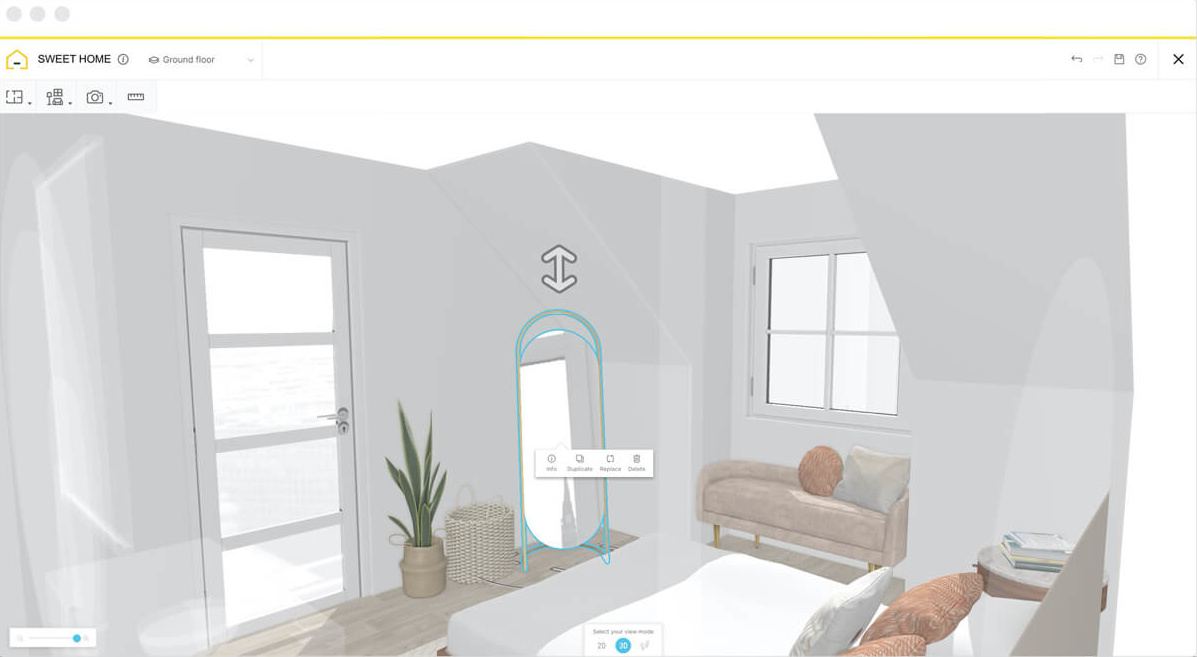
Visualizing your floor plan in 3D helps you to immerse yourself in your design and make better decisions when furnishing your home.
Select furnishings from a range of brand-name or generic products within our catalog, including indoor and outdoor furniture, plants, photo frames, and decorative accessories. You can even view your furniture in your home using Augmented Reality to see how it would look in real life.
When you’re ready to tour your project, switch to the first-person viewing mode for a realistic virtual walkthrough. Use a VR headset to truly immerse yourself in your project while you experiment with different layouts and styles.
During the design phase, you can take screenshots of your 3D floor plan from any angle, using the 3D viewing mode. Once you’ve finalized your project, create high-quality 3D home decor images and 360º views of it to share with friends and partners.
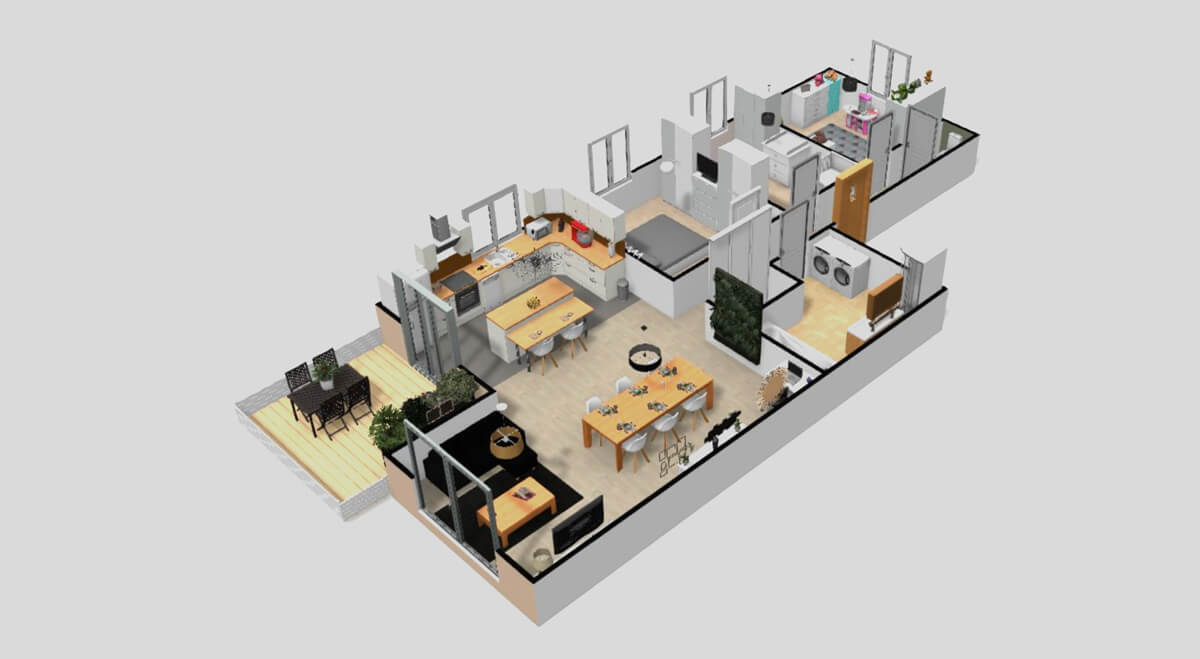
Floor Plan Examples
Bedroom Floor Plan
Select from an array of floor and wall furnishings and home decor to design a bedroom that represents your style. Try different styles of furniture to achieve the interior of your dreams. Add wardrobes, bedside tables, lighting, and even tech-friendly features to enhance comfort and functionality.
If your bedroom doubles as a workspace, you can easily incorporate a compact office area with desks, chairs, and storage solutions.
Discover also : Learn more about HomeByMe 3D Bedroom Floor Plan
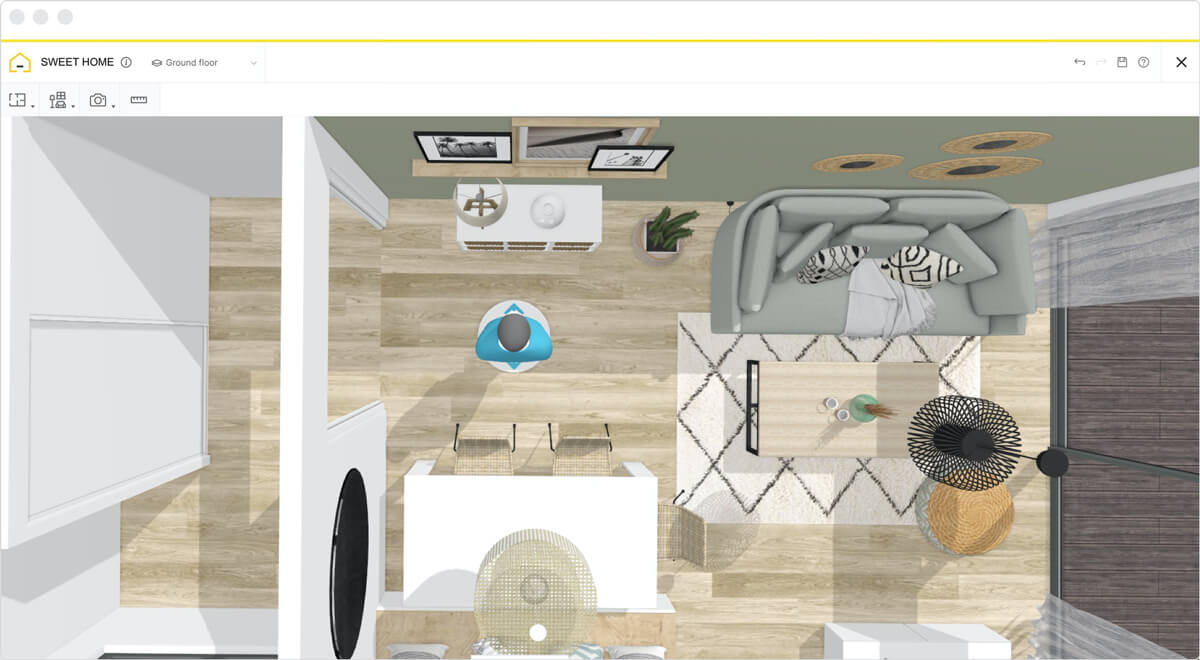
Living Room Floor Plan
Choose a color palette and style for your living room that creates your desired atmosphere and mood. By painting or adding wallpaper to only one feature wall, you can use a bold color without it being overwhelming. Try as many colors as you want and find the perfect color for your walls.
Feel free to experiment with furniture arrangements, lighting options, and decorative accents to make the space both functional and inviting. If your living room setup includes an open-plan office corner, you can design it to balance relaxation and productivity.
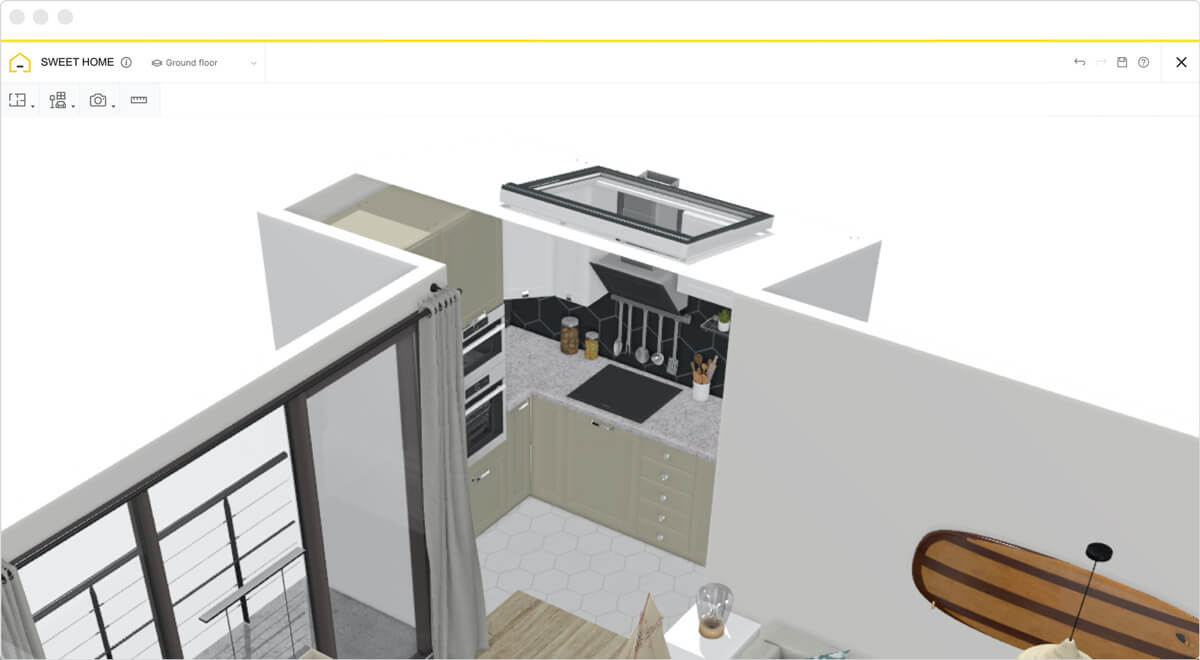
Kitchen Floor Plan
Experiment with different kitchen configurations until you find one that fits perfectly into your home. Try various layout options such as L-shaped, U-shaped, galley, or open-plan to suit your space and cooking needs. Then, easily place cabinets, countertops, and appliances using drag-and-drop tools, and make sure to adjust your dimensions so everything fits perfectly.
Software to design furniture for all DIY furniture projects
DIY furniture projects have been revolutionized thanks to the availability of design tools, notably the MakeByMe modeling solution. This technology offers a guided, simpler approach to designing and visually constructing your DIY furniture plans.
You can model your DIY furniture in virtual reality and consider designs that you may not otherwise have considered. Maybe you will discover ways to liven up your garden by building a stone-top patio table and a couple of Adirondack chairs. In addition, MakeByMe ensures you are making the best use of your time and energy, as you can try out your DIY furniture plan in your virtual home before your real home.
This means you can consider space-saving approaches that will maximize your floor plan with just a simple drag and drop – no heavy lifting here! You can see how that solid reclaimed-wood farmhouse dining table will look in your room before you invest in the materials.
The MakeByMe solution offered by HomeByMe is free and easy to use, allowing you to map out your DIY furniture and DIY home plans without stress. Try it now!
Chic and cost-effective homemade furniture
Beginner woodworkers, and even more experienced ones, may not always know how to design their own projects. And in this busy world, you may not always have time for multiple rounds of trial and error in your weekend woodworking projects. MakeByMe takes the stress out of making your own furniture, allowing you to design an integrated coat rack and storage bench for your entryway, or maybe some sleek floating shelves to display your framed photographs.
With MakeByMe, skip the stress and get right to the fun part: homemade furniture is a way the designer who is in search of a cost-effective and environmentally friendly way to DIY can create a unique and functional project and have some fun while doing it. DIY Furniture Ideas, even wild and crazy ones, can become reality through the help of the MakeByMe digital solution, meaning high-quality DIY home concepts and ideas can easily be brought to life using simple tools such as sanders, spray paint, and drills.
Find inspiration with HomeByMe
If you’re having trouble getting started, you can find ideas for your site plan in our Inspiration page. Visit industrial-style lofts, farmhouse kitchens, minimalistic Scandinavian living rooms, vibrant bohemian bedrooms, and sleek, modern bathrooms to help get your ideas flowing.
Explore real projects created by other users to see how different design styles come to life. Each example includes floor plans, color schemes, furniture choices, and layout tips to help guide your creation.
Are you an interior design professional and looking for a 3D tool to fulfill your customers? Our new HomeByMe Pro website will meet all your needs! With advanced information and tailored support, HomeByMe Pro helps you deliver high-quality results with confidence.
Discover also
- All about Interior Design Trends
- Interior designer tools: the must-have list
- Inspiring Modern bedroom decor
- How to Manage Interior Design Projects
- Floor Plans Guide
- How to draw bedroom plans
- Make DIY furniture with online 3D solution
- Create architectural designs house plans in 3D
- How to design a home using online software
- How to draw a bathroom in 3D
- How to draw small house plans
- How to get the best bedroom design?
- How to make a 3D kitchen design
- 8 tips to optimize home interior design


Get a HomeByMe account now to start designing floor plans and entire homes efficiently!
Make any home plans quickly
Check your ideas virtually and in 4K
Be sure everything is flawless
Need a helping hand?
Give us your plan and our team will create your 3D project. Then you’ll only have the fun part left: decorate your house!

Make your 3D floor plan!