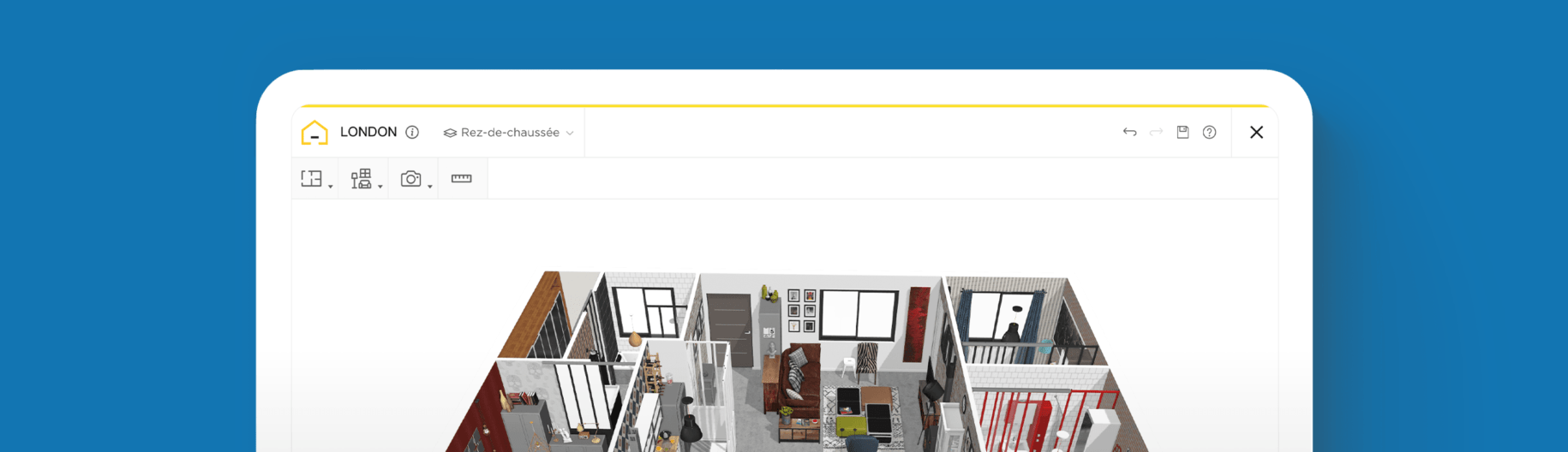
How to Make an Architectural 3D Plan for an Apartment

Create and view your Studio floor plan in 2D and 3D
Furnish your Studio floor plan with brand-name products
Take a virtual walkthrough of your final design
Want to feel excited about coming home to your apartment each day? Learn how to create exquisite 3D floor plans on your own so you can design a space that meets your needs and reflects your style.
Any-sized apartment, especially studios, can feel restrictive in size, but that doesn’t mean you have to limit your creative ideas. While you can’t always change some built-in features (like load-bearing walls), you can think about how to use your space more efficiently. Creating a layout that benefits your lifestyle is key to successfully designing a floor plan for an apartment. The HomeByMe planner makes it possible to do all that and more.
The planner provides you with the virtual tools to make and map out your apartment floor plans in 3D so you can create a space that you’ll love living in, no matter the size. Design, furnish, and change your layout as many times as you want until you land on the right setup. Find everything you need to know about floor plans and how to create them below, using the HomeByMe home design software.
What are Apartment Floor Plans?
Apartment floor plans are practical diagrams used for designing layouts. They depict a scaled representation of your space that typically includes architectural features, furniture, appliances, and more – all with measurements included. Today, you can create 3D floor plans, which are especially helpful for deciding where to place certain components. Whether you are a landlord or a property management company looking to rent units, or a tenant looking to improve your apartment, a detailed illustration is a very convenient method for increasing the value and level of enjoyment within the space. You can start planning right away using HomeByMe’s free, online planning software.

How to Make Apartment Floor Plans
1 Take Measurements and Draw Essential Structures
Whether it’s an entire apartment or a specific section of it, start by adding and arranging any pertinent features, such as the walls, floors, windows, and doors, into the planner. Edit and correct the measurements and dimensions to make your drawing accurately reflect the property. Add any architectural features that are unchangeable, such as a fireplace, appliances, toilet, or bathtub. Position these just as they appear in the apartment so you can begin adding other elements.
2 Personalize with Furniture and Decorations
Adjust your viewpoint settings to turn your 2D outline into a realistic, 3D rendering. Now you can begin inserting other elements that will make it feel like your home. To start personalizing it, go to the catalog to source your favorite paint colors, wallpaper, kitchen features, bedroom furniture, and more. Choose from well-known, branded products or generic ones. Move items around to find the right spot for them in your apartment. To view different layouts and designs of your floor plan, create multiple versions to help you decide.
3 Generate HD Images to Save and Get Feedback
Save and print images of your newly designed apartment to get a sense of how your space will look in real life. This will help you to incorporate your style and vibe when shopping and decorating. Scope it from a first-person vantage point by changing your view mode and sharing it with friends, family, or colleagues.

2 Bedroom Apartment Floor Plans
2-bedroom apartment floor plans provide additional flexibility. But if you don’t know what to do with that extra space, it could end up being misused without really benefiting you. To gain some clarity and inspiration on how best to use your extra space with HomeByMe, here are some key concepts to remember for developing a good layout.
Accommodate Future Needs
Don’t just think about your immediate needs. Consider what you might require two or five years down the road. By doing this, you can plan and accommodate your future needs. If you’re not sure what those might entail, focus on creating more flexibility within your layout so you can easily adapt and update it when you need to.
Weigh Practical Considerations and Architectural Features
To imbue balance within your layout, weigh practical considerations with the architectural features. For example, if your second bedroom is small and you work from home, creating a home office might make more sense than using it as a guest bedroom. If you’re an artist and want a home studio, turning the spare room into a creative space might not be practical if the room lacks natural light or ventilation.
Prioritize Your Lifestyle
Above all, floor plans should correlate with your lifestyle. As a tenant, think about what matters most to you. If you enjoy entertaining, prioritize the flow and layout of your kitchen and dining area. If you love reading, create a cozy, quiet setting rather than having a dedicated space for entertaining. The design options are endless. Concentrating on your priorities is a great place to start for customizing any floor plan.
Benefits of Creating Your Own Apartment Floor Plans
While many people may seek the services of design professionals (such as architects or interior designers) to help maximize their apartment’s space and decorate it, this can be a costly endeavor. HomeByMe’s easy-to-use, free design planner allows users to avoid this. Not only that, you don’t need any experience. It’s a lot of fun to experiment and try out new ideas for your space! With risk-free trial and error at the tips of your fingers, you’re free to explore any and all ideas.
Furnishing and decorating your virtual space has never been easier. You can try out customizable generic furniture or add brand-name items that you can easily purchase. You can also design and include a custom piece of furniture for your home with MakeByMe. Who knows, it might end up being your next DIY project!
Don’t forget to explore paint colors, wallpaper options, and flooring. See which color palettes, patterns, and materials work best together. You can even add lighting and decorative accents to your design to give it an authentic feel.
Looking to move to a house or just enjoy creating floor plans? HomeByMe is perfect for designing and decorating large homes, too.
Inspiring Solutions
Even the most creative of us need a little inspiration from time to time. To get motivated, visit our inspiration corner, where you can browse and incorporate different schemes developed by our global community. Explore farmhouse kitchens, minimalist Scandinavian living rooms, Boho-chic styles, and sleek, modern bathrooms to help get your ideas flowing. Once you’ve finished your design, you can upload and share your plans to inspire others.
If you’re still not sure where to begin, you can start by creating a mood board of all of your favorite styles and ideas. This will help you identify themes and commonalities so you can get started with your own design.
If you’re interested in DIY interior design, HomeByMe is a straightforward and versatile tool that can help you master the art. Unleash your inspiration, experiment with fresh ideas, and learn how to construct the best apartment floor plans on your own, completely risk-free. Make your space the envy of the building. There’s no download required since everything is available online. So you can begin generating designs instantly.
For those looking for added accessibility, HomeByMe also offers a convenient mobile app for iOS and Android users. This allows you to create and design on the go, wherever you are.
If you’re finding it challenging to dedicate the time to your project, HomeByMe can help! They can draw 3D turnkey plans, have a team of professionals decorate your virtual space, or both.


Floor plan software is ideal for planning and visualizing your home remodeling project quickly and easily.
Create and view your Studio floor plan in 2D and 3D
Furnish your Studio floor plan with brand-name products
Take a virtual walkthrough of your final design
Create your Studio Floor Plan