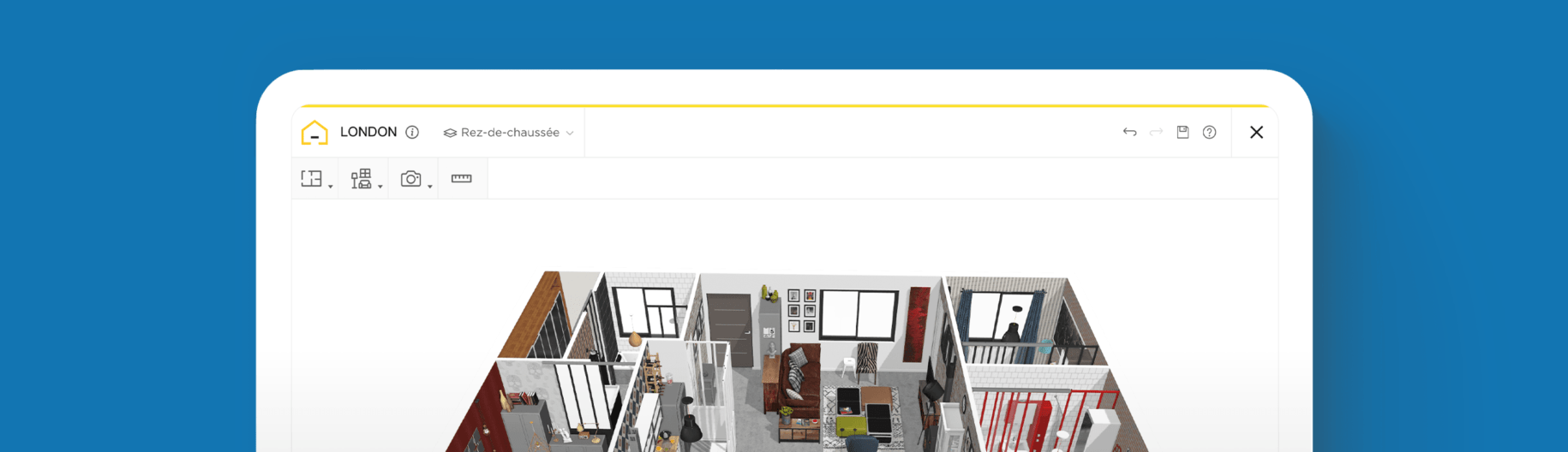
How to Build a Modern House Layout in 3D?

Create any house layout easily
Try it virtually and show it in 4K
Be sure everything is flawless before launching works
3D software is what can set your creative skills and talent apart from the rest. Learn how to utilize this intuitive technology to build impressive designs that will win over clients and advance your career in the interior design industry.
In today’s fast-paced world, people are always looking for ways to simplify their lives and make everything more efficient. The same applies to designing modern family homes. As an interior designer, you need to be able to visualize ideas and articulate them clearly to your team and potential clients.
3D modeling software can help you do all that and more. Use it to create accurate layouts, simulate lighting, and visualize textures and materials. This not only elevates design concepts but can also save time and reduce the probability of errors during the building process. With high-level detail, you will significantly improve the client-designer relationship from the outset, minimizing costly revisions later.
Beyond the powerful capabilities for design, this intuitive, easy-to-use technology provides engaging and immersive presentations, which can lead to a more satisfying customer experience. The HomeByMe 3D modeling lets you instantly and effectively communicate complex spatial ideas to your clients. With this visual clarity, you build trust and confidence with your clients, enabling them to sign off on designs much faster than with traditional 2D plans.
Whether you’re an interior designer, architect, or home stager, 3D home design software is what will ultimately help to set you apart in a competitive industry. Find out everything you need to know, including how to leverage it to excel in your career, and how to use it to produce an attractive modern house layout.

Designing a Modern Family House Layout: The Benefits of 3D Software
To create a modern family house layout, you need to consider the lifestyle and needs of all family members while also keeping the design practical and visually appealing.
This is where 3D software comes into play. It lets you create a meticulous design that allows both you and your clients to see the proposed layout, including color schemes and more. This helps you make informed decisions about the various design elements, like the placement of furniture, paint colors, and textiles.
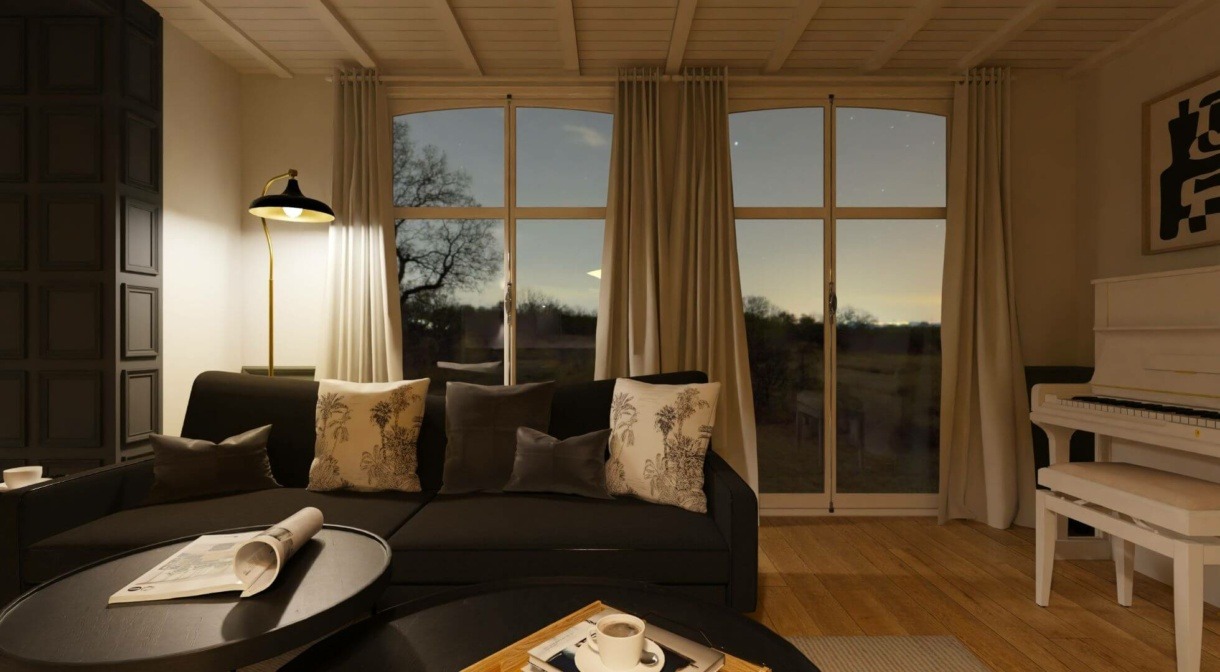
Create Detailed Blueprints for Modern Homes Using 3D Software
Blueprints for modern homes are an essential part of any design. They provide a detailed overview of the home’s layout, including the placement of walls, doors, and windows. With our user-friendly 3D software, you can create accurate and exact dimensions to keep everything to scale.
Unlike the tedious process of manually drawing floor plans, this advanced tech lets you develop blueprints quickly and with ease, and perform edits and alterations instantly without having to waste time redrawing. When it’s complete, you can share the layout and design objectives with collaborators, which makes the whole process smooth and hassle-free.

How to Build a Modern Family House Layout with 3D Tech
To plan a beautiful modern layout using a 3D home planner, there are several simple steps to follow which we outline below.
Here are the steps to follow:
1 Create a 2D Blueprint
The first step is to create a 2D blueprint. After signing into your account, refer to the dashboard and toolbar in the top left corner.
Select the “Build” tab from the drop down menu.
Click “Add Walls” to start drawing the interior and exterior walls to form the structure of the modern house.
Use the “Room Separator” button to create partitions between rooms.
To move walls around or to connect them, click and drag.
You can also use the “Add room” feature to speed up the process and build the blueprint room by room.
2 Set the Dimensions and Add Icons
Before adding other features to the floor plan, input the dimensions of the layout. This should include the height, length, and width of the walls. Double check to ensure they match the dimensions of the property to maintain accuracy.
Right click to adjust the measurements or to check the size of a particular feature.
Use icons to mark the placement of certain features, like the stove, fridge, dining table, or sofa.
3 Experiment with Flooring, Furniture, and Accessories
With the 2D, top-down blueprint complete, it’s time to furnish and piece together your design.
First, change the view settings from 2D to 3D so you can see the design in a more thorough and detailed format.
Go to the “Products” tab and click “Furnish” to find anything you need to illustrate your design scheme. When you find a product or material that you’d like to use, simply click and drag it into the layout.
Our generic furniture products are fully customizable. Just right-click to edit and customize the size of products to fit where you need them.
If clients have furnishings they want you to incorporate, you can upload images of them to use in your design.
4 Fine-Tune the Design with Colors and Textures
Experiment with colors and textures to decorate and fine-tune the design to ensure your clients will love it.
It’s easy to adjust the color of the walls; browse our extensive library of paint options and wallpaper. You can also choose from brick, wood, or stone flooring.
Change the lighting and add finishing touches to bring the required style to life by adding items such as artwork, plants, and accessories.
5 Tour, Share, and Print
With a beautiful modern layout complete, all that’s left to do is review, share, save, and print.
Invite clients to take a tour of the design using the 3D immersive options to move around and assess all of the details in their future home. This is an excellent way to give clients a true perspective of what they can expect once it’s built in real life.
Then, save and print HD images to keep on file, add to a portfolio, or use as a visual point of reference throughout the various building stages.
6 Tips for Making Floor Plans Modern and Functional
Making floor plans modern requires a focus on simplicity, functionality, and clean lines. Here are some tips for making your floor plans modern and practical.
Emphasize Open Spaces
One of the defining features of modern floor plans is the emphasis on open spaces. Rather than having distinct and separate rooms, modern floor plans focus on creating larger spaces that flow seamlessly into one another. This can be achieved by removing walls (non-load bearing) and using open concepts.
One example of emphasizing open space is with the modern design of the great room, which encompasses the kitchen, dining room, and living room. Ensure the plan cohesively combines these three distinct spaces.
Use Clean Lines
Modern floor plans also emphasize clean lines and a minimal aesthetic. This means that it’s best to avoid clutter and keep the design straightforward. Considering using straight lines, geometric shapes, and minimalist decor for a sleek, open, and airy interior. Use high-quality, continuous materials like large tiles or polished wood floors to help visually extend the space. With the HomeByMe 3D software, you can instantly assess which textures and materials contribute to the overall minimalist aesthetic.

Incorporate Smart Storage Solutions
One of the most critical aspects of a modern family house layout is smart storage solutions. With limited space being more common these days, it is essential to maximize storage wherever possible. Consider incorporating built-in shelves, under-stair storage, or hidden cabinets to create additional storage space without sacrificing the overall design. Using 3D modeling software allows you to test whether a built-in storage solution is practical and accurately fits the dimensions of the room to ensure every inch of space is maximized.
Avoid Ornate and Intricate Decor
To portray a chic and sophisticated look and vibe, avoid adding any overly ornate and intricate details. Ideally, it’s best to decorate with a neutral color palette and basic materials and finishes.

Focus on Functionality
Prioritize functionality to make the home practical for the client. Consider the lifestyle and needs of the family and incorporate features that will make their daily routines easier. This could include a mudroom, an upper-level laundry room, a library, or a home office.
Optimizing for Natural Light and Views
Prioritize natural light for the quintessential contemporary house layout. Rather than relying on only electrical lighting, modern plans integrate large windows, sliding glass doors, and skylights to ensure the home is bathed in daylight. Along with maximizing natural light, these doors and windows offer views to the outdoors. This is particularly beneficial if the property features a unique landscape or spectacular view.

Finding Inspiration for Your Modern 3D Plan
If you’re ready to build a house 3D plan but feel like you need to be inspired, we have plenty of ideas to get you started. Browse through hundreds of designs created by our global HomeByMe design community to spark your creativity.
If you’re looking for something specific, our handy filters let you select a room, such as the kitchen or bathroom. You can also filter by style, color, or brand.
Designed something you want to share with the community? Post your project to inspire others!
Create stunning modern house layouts that will wow your clients and help you stand out in this competitive industry. With HomeByMe’s 3D home design planner, the possibilities are endless when it comes to illustrating creative ideas and producing unique designs that can truly be tailored to every client. Sign up today for free!
Looking to take your projects on the go? Our 3D planner is also conveniently available via a mobile app for both iOS and Android users.
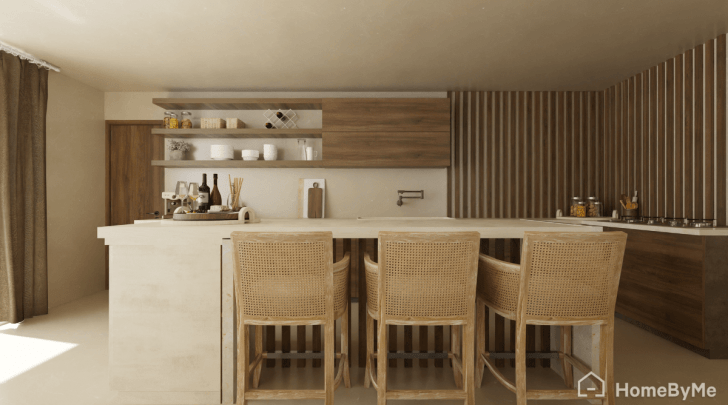


Create any house layout easily
Try it virtually and show it in 4K
Be sure everything is flawless before launching works
Make flawless Design plans