How to choose a 3D software
High-speed & Pro
Intuitive to use with 0 Learning Curve
Complete with Branded & Generic Furniture
When planning for a design in your home, you probably already have an idea of what you want your space to look like. You likely have a few inspirational photos saved or a list of furniture you’re considering. But the thing is, it’s hard to know what everything actually looks like until the room is done.
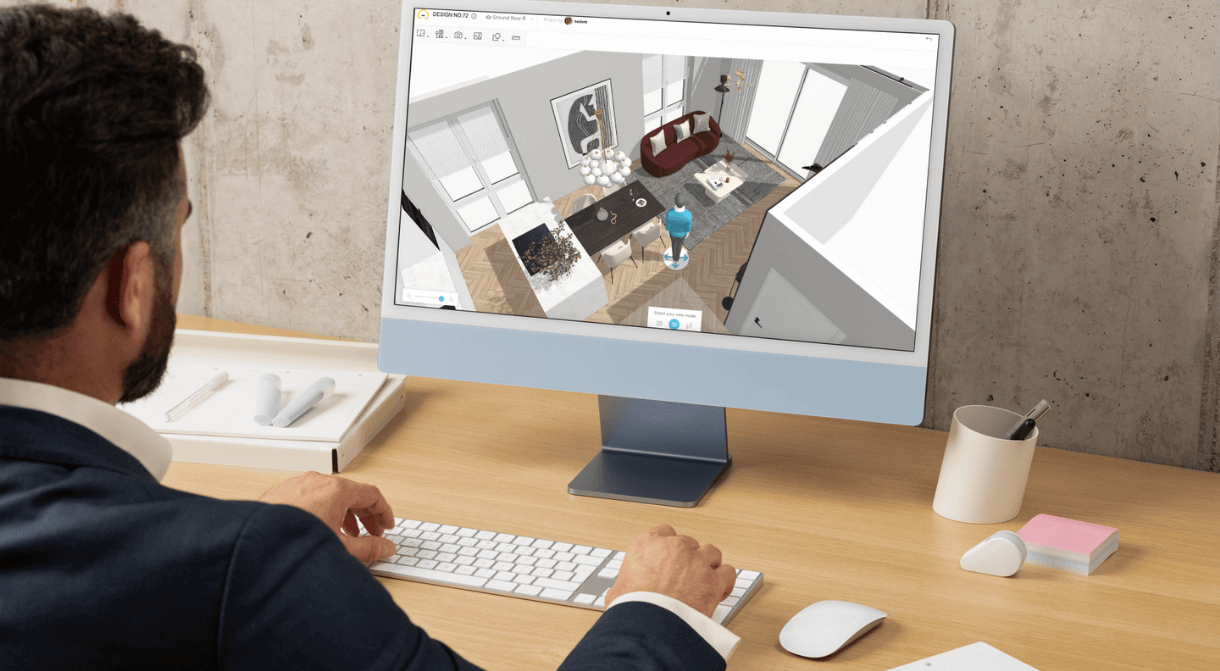
That’s when knowing how to choose 3D software is important. 3D home modeling programs usually come with tools that let you build a virtual version of your room, so you can experiment with everything before making a decision in real life.
In this article, we’ll tell you what to look for and the common mistakes to avoid when you choose 3D software for your design ideas. We know that the right application can make a big difference, and we want you to realize that, too.
First, figure out your goals
Before you start your search, you need to figure out what you want first. Ask yourself the following questions to help you filter out software that’s either too simple or too complex for your needs:
- What are you trying to do? Are you rearranging your furniture? Are you trying to see if certain color schemes work for your space? Or are you trying to see how a new combination of walls, windows, and lighting will work together
- Are you trying a specific style for your room? Some tools come with premade templates or furniture libraries that fit certain styles. Stick to one type or play around with combinations to see which works best for you.
- How involved do you want the software to be? Some programs keep it simple with drag-and-drop features, while others give you full control over lighting, textures, layout, and room dimensions.
Be sure to evaluate the features
Now that you know what you want for your space and from the program, it’s time to pick out the features that work best for you. Here’s what you should look for:
User interface and experience
Some programs cater to beginners by including features like guided room setup, snap-to-grid, and built-in templates. They usually aim to be the easiest for anyone to use, and may even include tutorials or video guides to help you get started. Always keep your experience level in mind.
3D Features and Image Rendering
The ideal program should have a 3D view to help you get a better sense of space, light, and scale. Some even offer virtual walkthroughs and 360° room views, allowing you to visualize things from different angles.
High-quality image rendering should be able to simulate surfaces and lighting as accurately as possible, so you can truly see how your changes affect the look and feel of the entire room.

Furniture and Material Library
Most design software has a library of furniture, flooring materials, wall coverings, and other accessories that you can put into rooms. The larger the library and the more varied the style, the better. This also ensures that you can recreate your idea or modify it to stay within budget.
Precision and Flexibility
You want to choose 3D software that lets you adjust room size and furniture dimensions down to the inch or centimeter. That way, you can be sure that everything you want to place in your room will fit just right. If the scale is even slightly off on the simulation, it could cause problems down the line.
If you have a more involved project, look for advanced options like custom wall heights and precise lighting angles. Advanced modeling and sculpt features can also let you tweak designs to a granular level, which can be particularly helpful for artists and power users.
Device Compatibility
How and where you intend to use the software can affect which app you can use. Some are browser-based while others require a desktop download. If being able to work on the go is a priority, check which platforms the software is available on before you commit.
Here’s a tip: if you already work in certain fields, such as manufacturing, engineering, or the video game industry, you may already have access to some of the standard features found in 3D software.
Common mistakes to avoid when choosing 3D design software
Choosing the wrong tool is easy if you don’t know what to avoid. Keep these tips in mind so you don’t waste time with the wrong software:
- Don’t go for the most advanced option right away: Some programs are built for architects and professional interior designers. Even though they offer a lot of features, they also come with a steep learning curve.
- Check how you can export or share your designs: Some platforms lock your creations behind a paywall (i.e., you must subscribe or pay for the app first). If you plan to show your layout to someone else, make sure you can share it easily as an image, file, or shareable link.
- Ignoring device compatibility: Not all programs work well across different devices. Search for mobile apps or responsive web versions if you don’t plan to work on a desktop or laptop.
- Skipping the free trial: Most 3D tools offer trial versions or demos. Try them out first before paying for one.
Final thoughts
When you choose 3D software, keep your goals, skill level, and platform preferences in mind. The right tool should work with you, not against you. Cost and usability matter just as much as the features, so be sure to keep a good balance between them.
Remember: designing a room should be a fun process. Don’t let the wrong 3D software ruin the experience for you.


Discover how HomeByMe is a complete turnkey tool for your projects.
High-speed & Pro
Intuitive to use with 0 Learning Curve
Complete with Branded & Generic Furniture
Become an expert in Interior Design
